


iSharing: GPS Location Tracker
4.62.22K Reviews
App Specs
- Version
- 12.17.5.5
- Updated On
- License
- Free
- Downloads
- 10,000,000+
- Developer
- iSharingSoft, inc.
- Categories
- Communication
- Platform
- Android, iOS
Screenshots
 Analysis by AppCompare
Location sharing works best when everyone understands why it is being used and agrees to take part. I see iSharing: GPS Location Tracker as a practical option for families and groups who want a shared view of whereabouts, rather than another chat thread full of “Where are you?” messages. Its usefulness depends on the people in your circle keeping location sharing enabled, so it is less a way to find someone who has not opted in and more a coordination tool for people who already trust one another.
What to expect from live location updates
In a location-sharing app, “real time” is best treated as a helpful indication, not a promise that every movement appears instantly. GPS conditions, the phone’s connection, and its background behavior can all affect how current a location looks. I would use the map to get a general sense of where a family member or friend is, then message or call if the exact timing matters. That small habit prevents a recent-looking pin from being mistaken for a guaranteed live feed.
This distinction matters most when plans are changing quickly. If friends are arriving at different entrances to a busy venue, a map can narrow down where to meet, but a short message is still better for confirming the exact entrance. Likewise, a parent checking whether a child has reached a familiar destination can find the shared view reassuring, while still treating it as one useful signal rather than a substitute for conversation.
When several people rely on it at once
The app becomes more useful as a group coordination point, but a larger circle also makes the map busier and raises the importance of clear expectations. Before inviting people, I would agree on who belongs in the circle, when sharing is expected, and whether location history is useful to everyone. That avoids turning a convenience into a source of awkward questions or pressure.
A realistic example is a family juggling school pickup, errands, and a delayed commute. One person can check whether the driver is still on the way, while the driver can avoid sending repeated status messages. If the route changes or the arrival estimate is uncertain, a direct message remains the simplest way to explain what is happening. The map reduces routine check-ins; it does not explain the reason behind a delay.
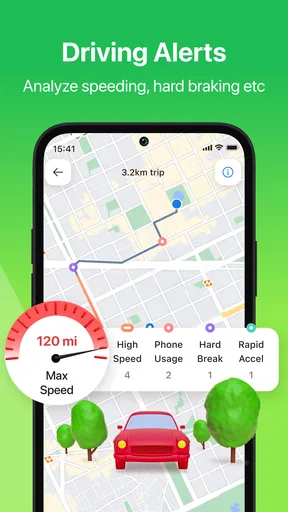
For a road trip with separate cars, it can help the group see whether everyone is broadly moving together and notice when one car has fallen behind. I would still choose a safe stopping point before acting on the map: nobody should be reading or responding to a phone while driving. The person navigating can check in when parked, which keeps the convenience from becoming a distraction.
Small habits that make location sharing work better
One useful approach is to test the arrangement before relying on it for an important pickup or journey. Ask each person to open the app, confirm that the intended circle is set up, and check that the location view is appearing as expected. Doing this on an ordinary day helps reveal setup confusion while there is still time to sort it out calmly.
Worth Reading Before You Choose

Flipboard Shows What News Apps Must Do Beyond the Feed

Switching to Android Auto Means Rethinking Your Driving Routine

Google Calendar Makes a Crowded Week Easier to Manage

Ludo King Makes the Most of the Minutes Between Plans

Baby Panda World Brings Quick Play to Modern Phones, but Its Game Library Feels Busy

ESPN’s Live Game View Makes Following Close Games Easier
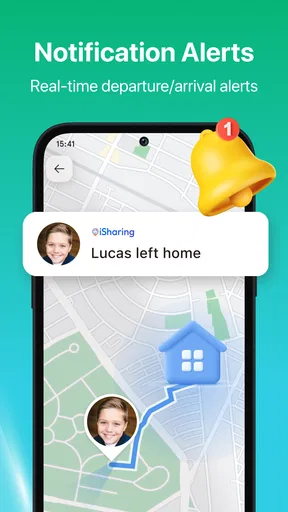
It also helps to decide what an arrival alert should mean in practice. An alert can save someone from repeatedly checking a map, but it should not become a demand for an explanation whenever a person stops somewhere. I would use place notifications for a few destinations that matter to the group, such as home or school, instead of creating a long list of routine stops. Fewer, meaningful alerts are easier to notice and less likely to become background noise.
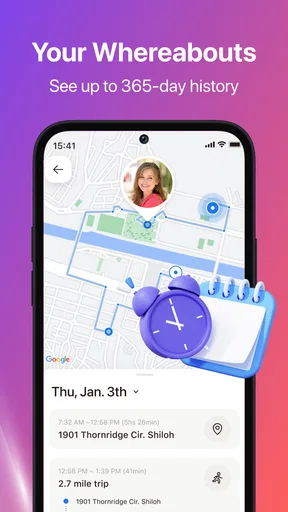
Location history has a different trade-off from live sharing. It may help a family retrace a day or settle a practical question about where someone went, but a record of movements can feel intrusive if the group has not discussed it. Before making it part of a routine, I would talk through who can view it and why it is useful. For people who want only a one-time meetup location, a temporary share in a messaging app may be a better fit.
Getting Started with iSharing
So, I downloaded iSharing out of sheer curiosity, and I must say, the installation process was smooth as silk. Once you’ve got the app up and running, it greets you with a friendly, intuitive interface that just makes sense. You’ll need to set up your account, which is pretty straightforward. Just a few taps and you’re good to go.
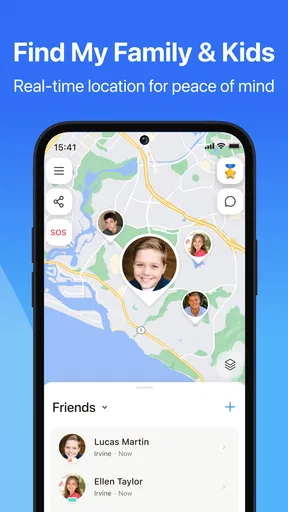
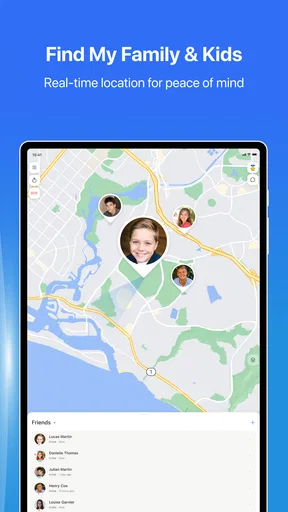
The magic begins when you start adding your contacts. You can invite friends and family to join your circle, and once they accept, you can see each other’s locations in real-time. The app uses GPS technology, so you get accurate and updated information without any hassle.
Features That Stand Out
Now, let’s talk features. iSharing is packed with some neat capabilities that make staying connected a breeze. One of the most impressive features is the real-time location sharing. It’s like having a digital buddy system; you can literally see where everyone is, which is perfect for planning meet-ups or ensuring your loved ones are safe.
Another cool feature is the location history. Imagine being able to see where you or your friends have been over the last few days. It’s a nifty little addition that adds a layer of transparency and fun.
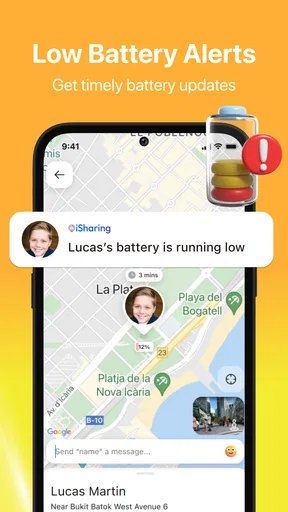
Notifications are also a big part of iSharing. You can set up alerts for when someone arrives or leaves a place. For parents, this is a blessing. You’ll know when the kids get to school or arrive back home safely.
Using iSharing in Everyday Life
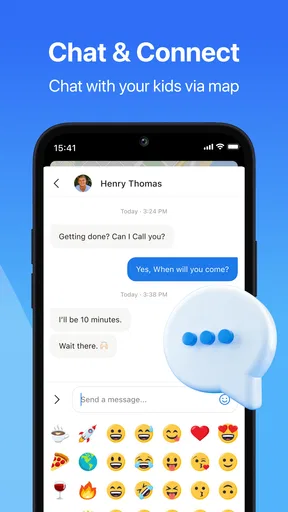
iSharing isn’t just about tracking; it’s about enhancing communication. For instance, I’ve used it to coordinate hangouts with friends. Instead of the back-and-forth messages figuring out who’s where, iSharing shows us everyone’s location at a glance. Easy peasy.
It’s also been a lifesaver during road trips. Keeping track of multiple cars in a convoy becomes effortless. Plus, if someone takes a wrong turn, you can quickly guide them back on track.
In my view, this is where it compares most favorably with the usual alternatives. A messaging app can share a meeting point or a temporary location, which is often enough for a single outing. iSharing makes more sense when the same family or friend group wants an ongoing shared arrangement, with location history and arrival or departure alerts in the mix. If all you need is directions, a maps app is simpler; if the goal is recurring coordination, a dedicated shared-location app is more convenient.
Privacy Concerns and Security
Now, I know what you’re thinking—privacy. It’s a big concern for most of us. iSharing has got you covered with some robust privacy settings. You get to decide who sees your location and when. There’s also the option to turn off location sharing whenever you want, which is a nice touch for those moments when you need a little privacy.
The app ensures that your data is secure, and they’ve put in place measures to protect your information. This is reassuring, especially in a world where data breaches are not uncommon.
I would not recommend treating a shared map as a substitute for trust or consent. Everyone in the circle should know what is visible and feel comfortable with the arrangement, especially teenagers and adults who may not want continuous location sharing. If someone needs to pause sharing, that should be handled as a normal privacy choice, not as evidence that something is wrong. People seeking discreet tracking of another person should skip this app; location sharing should be mutual and understood.
Who will get the most from it
Families with regular pickup routines are a natural fit, as are friends who often meet across town or relatives coordinating travel. It can also be useful when several cars are heading to the same destination, since a shared view can cut down on calls about who is where. The strongest case is a group that expects to use location sharing repeatedly and is comfortable setting simple boundaries around it.
By contrast, someone who rarely coordinates with the same people may find account setup and invitations more effort than they are worth. A one-off location share through a chat app is likely enough for an occasional meetup. It is also not the right choice for anyone who wants a private navigation tool, a guaranteed emergency response, or a way to monitor people without their agreement.
Speed, stability, and phone demands
My practical expectation is that opening the map and checking a familiar circle should feel straightforward, while the freshness of a location can vary with the phone and its connection. I would not judge the app by a single delayed update: first check whether the other person’s phone is connected and sharing, then refresh or contact them directly if the situation is time-sensitive. That simple recovery routine is more sensible than assuming a pin always represents someone’s exact present position.
Location services can also affect battery use, particularly when a phone is expected to share its position in the background. The actual impact depends on the device, settings, signal, and how often the app is used, so I would pay attention to battery behavior during the first few days rather than assume it will be identical on every phone. If someone wants to conserve power, they can use sharing for the periods when the group genuinely needs it and pause it at other times.
Compatibility is worth checking before inviting a whole household. The current version is 12.11.8.4, and the app supports devices running Android 7.0 or later. iSharing is a communication app from iSharingSoft, inc.; it is free to install, rated for Everyone, and offers in-app purchases ranging from $2.99 to $129.99 per item. Its long-running presence, since June 16, 2012, and its 10 million-plus installs suggest broad use, while its 4.6 average from around 230,000 ratings gives a useful sense of its reception. Those figures do not guarantee the same performance on every device, so I would still test it on the phones that will actually be in the circle.
Is iSharing Worth It?
So, is it worth giving iSharing a spin? Absolutely. It’s a simple yet powerful tool for staying connected with the people who matter most. From safety to convenience, iSharing provides peace of mind and simplifies the way we interact with those around us.
Whether you’re a parent wanting to keep track of your kids, or just someone who loves coordinating effortlessly with friends, iSharing is a solid choice. And hey, with its easy-to-use interface and a slew of features, it’s hard not to love this app. Give it a try, and you might just find it becoming a staple on your phone.
My bottom line
I would start with a small circle and a clear purpose: perhaps school arrivals, a family journey, or meeting friends in a crowded area. If the updates and alerts suit that routine, it can earn a regular place on your phone; if you only need to send a location once in a while, the lighter option built into your usual messaging app may be enough. For ongoing, consensual coordination, iSharing: GPS Location Tracker has a useful balance of shared visibility and everyday simplicity, provided everyone treats privacy and phone limits as part of the plan.
Pros
- Real-time location updates enhance safety.
- User-friendly interface for easy navigation.
- Customizable alerts for specific locations.
- Battery-efficient location tracking features.
- Supports multiple devices for family tracking.
Cons
- Requires internet for accurate tracking.
- Privacy concerns with constant location sharing.
- Limited features in free version.
- May drain battery faster on older devices.
- Occasional inaccuracies in location data.
FAQs for iSharing: GPS Location Tracker
What is iSharing: GPS Location Tracker used for?
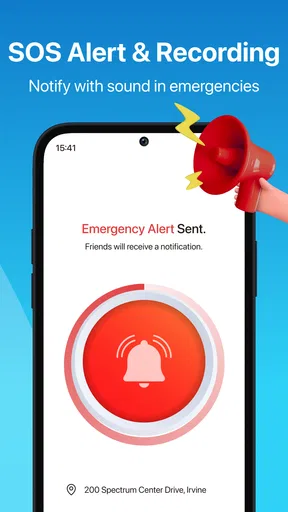
iSharing: GPS Location Tracker is designed to help users stay connected with family and friends by sharing real-time location data. The app allows users to see the whereabouts of their loved ones, track movements, and receive notifications when someone arrives or leaves a designated area, enhancing safety and coordination.
How does iSharing ensure my privacy and data security?
iSharing prioritizes user privacy by using advanced encryption protocols to protect location data. Users have control over who can see their location and can easily manage permissions within the app. Regular updates and secure servers are also in place to safeguard user information against unauthorized access.
Can I use iSharing without an internet connection?
iSharing requires an active internet connection to share and receive real-time location data. While the app itself can function offline to some extent, its core features, such as live tracking and notifications, rely on internet connectivity to provide accurate and up-to-date information.
Is iSharing compatible with both Android and iOS devices?
Yes, iSharing is available for both Android and iOS platforms, ensuring cross-platform compatibility. Users can download the app from the Google Play Store or Apple App Store, allowing seamless communication and location sharing between devices operating on different systems.
Are there any subscription fees or in-app purchases in iSharing?
iSharing offers a free version with basic features, but to access premium features like unlimited location history or priority support, users may need to subscribe to a paid plan. These in-app purchases enhance the app's functionality, offering more comprehensive tracking and user support options.


